

Recently, the Space Society of Kenya got blessed very much by a donation of a Meade ETX 125 telescope. It comes with a motorised and computerised mount, so that it can automatically go to objects in the the sky and track them. The gift came complete with Autostar hand controller, electronic focuser, tripod, eye pieces, a nebula filter (which should help against light pollution when viewing nebulae), a solar filter, 2 cameras (a Meade web cam and an Atik 16IC), and several other accessories. Therefore, for the first time, the society can finally run stargazing events with its own equipment (there’s also a pair of 10×50 binoculars available).
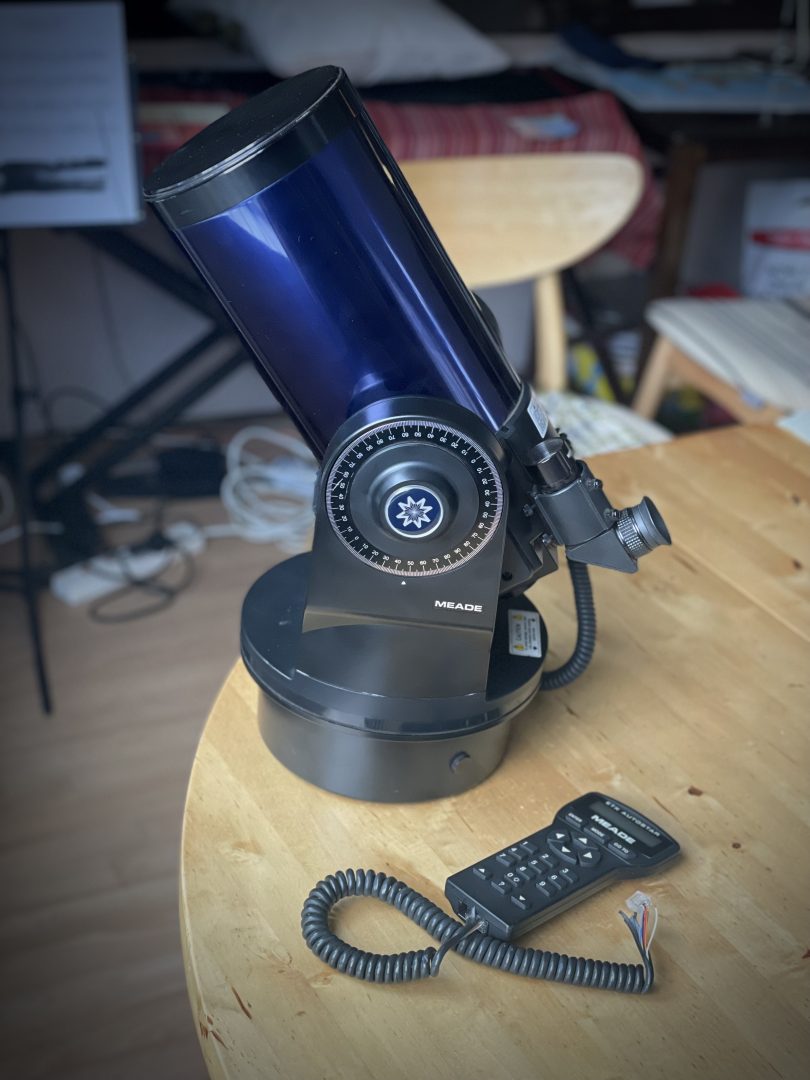
There were a few caveat, however. First, I noticed some dirt on the front lens which looked like it might be mould. Not much and with negligible optical effect, but still worth cleaning; because otherwise, it might damage the coating underneath. And if it’s really cold, it could grow further. The manual advises to use an isopropyl alcohol (IPA)-water mixture; not having IPA at hand, I needed to order that first. I have since received it and cleaned the front lens carefully and successfully, the markings came off easily and without any trace (so probably it wasn’t mould after all).
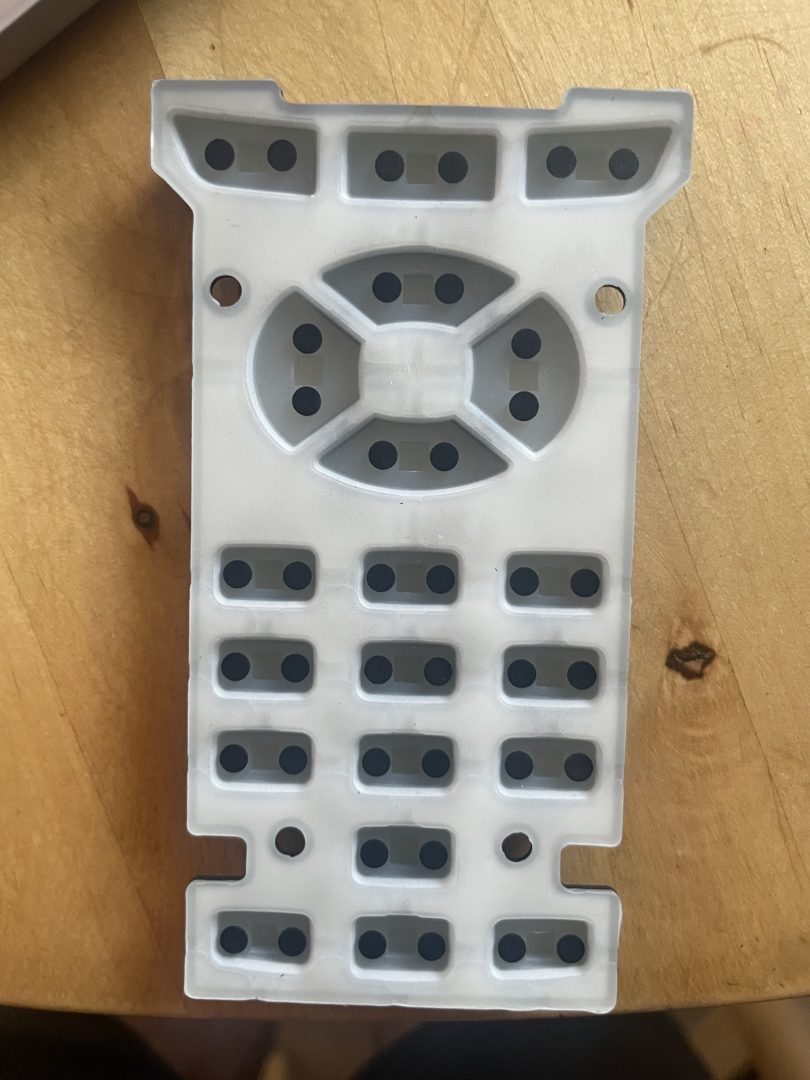
A more serious issues was that the Autostar hand controller didn’t work anymore. When it starts up, it wants the user to input the current data. But the keys were not responsive at all. So I went to my go-to consultant, as I so often do these days — Claude AI. It suggested to first try flashing the firmware, particularly using a 3rd-party tool called StarPatch, which, as a side effect, would also fix several bugs in the Meade’s original firmware1. It also suggested to clean the keyboard membrane, which might have gotten stiff over the years. So I did that, but found that the membrane actually looked and felt quite ok. The carbon contacts also looked and felt clean, but I cleaned them all with methylated alcohol (still waiting for the IPA delivery at this time) nonetheless.
I then connected the Autostar to a laptop and ran the firmware upgrade. At first, it did not quite seem to work, as the display showed garbled characters. However, after some resting time disconnected from power, and some restarts, it came to life.
At this point, I thought I had fixed the problem, as I could successfully set up the hand controller and test alignment and slewing to an object:
Unfortunately, this success was short-lived, as the controller again developed the issue of garbled characters in the display soon after. Sometimes, it would work again after a disconnected resting period of at least 25 minutes. I tried several more firmware patches (with the same latest version), but it didn’t seem to change much.
A few nights later, we got a bit of clear sky in the evening, and I took the scope out — still without working hand controller — for some nice views of Jupiter. Being a Maksutov-Cassegrain optical design, with very sharp optics, long focal lengths of 1900mm and reasonably large aperture of 127mm (so ~f/15), the planets are prime targets for this scope.
But with the hand controller still not working, I couldn’t use the scope’s go-to, and more importantly, tracking. The planets are tiny and want high magnification; but at high magnification, they move very quickly through the field of view. And having to manually readjust the scope without mechanical fine controls is quite difficult.
This motivated me to retry the patching + resting, and I got the controller to work once more. The next clear evening out, I was able to use it for both go-to and tracking. Keeping Jupiter automatically centered in the field of view allowed for much more relaxed viewing, and I could concentrate on identifying about 5 cloud bands, as well as spotting the Great Red Spot and other festoons (swirls in the clouds caused by storm systems). I then moved to M42, Orion Nebula, and got some great views there, too. Including razor-sharp views of 5 Trapezium stars.
Some nights later, I was going to compare it to my 10″ Dobsonian that I had acquired used some months ago. But unfortunately, after I had just aligned and was going to Jupiter, the hand controller turned off completely. It did not come on again after an immediate restart, and I didn’t want to wait for 25 minutes as it became more cloudy and I could see lightning in the distance.
Next day, I discovered that the white wire in the controller cable had cut in two near one of the plugs. The black outer sheath of the controller cable had opened up near both plugs, so it’s easy to see the individual wires. I have since soldered the white wire back together, shielding it from the other wires using a piece of heat shrink tube. I also noticed that the sheath of the black wire, several wire removed from the white one, has also come off near the plug.
Anyway, after soldering the white wire back together, I was then able to flash the controller once more; but the display still showed garbage. Then after resting, it did show the “Autostar” start screen, but did not progress from there.
Meanwhile, we have a new problem: the telescope’s mount started randomly moving the AZ axis motor. Movements seem to happen in pulses of about 0.5 to 3 seconds, with breaks of few seconds to few minutes. Mostly clockwise, but sometimes also counterclockwise.
At this point, I started to feel quite tired, to be honest; and I have not yet even told about my attempts to get the cameras working — including vibe-coding a whole new INDI driver! But that will be stuff for another post…
In any case, at such times, it’s good to remember:
“Blessed is the one who perseveres under trial because, having stood the test, that person will receive the crown of life.”
James 1:12
So, let’s persevere and continue systematically from here:
- Fix the cable properly by re-crimping the plugs. Fortunately, the plugs are RJ45s, i.e. the same as standard ethernet cable plugs. I can borrow the necessary tools easily.
- Open up the mount base and inspect visually and with a multimeter to see if there are any obvious issues like disconnected joints, corrosion, bulged capacities, burn marks etc. If a short has happened due to the damaged wire, internal damage to the motor controller IC might also have happened, in which case we’d need to replace it.
- Re-patch the hand controller firmware, and hope that the previous hand controller issues might also have been caused by the faulty cable, which would be solved now.
TBC. Clear skies.
- Unfortunately, we cannot expect any updates from Meade itself anymore, as the company folded in 2024. ↩︎
I really enjoyed going through the blog. As a member of the Space Society, I’m genuinely excited about the telescope and can’t wait to finally use it. Hopefully, we’ll have the electronics sorted out soon so we can get started!
Yes, hopefully! It can still be used manually, but it’s much easier with the electronics working. Especially when doing events with multiple and inexperienced people!